Surtitle files
Your surtitling projects are saved in surtitle files. These files contain all the text and settings required for projection. The file format is specific to Koinè and uses the .surt extension.
Start a new file
To start a new file, choose File > New.
The previously opened project will be replaced by a blank project.
Save your work
To save your work, choose File > Save.
You will be asked to provide a file name when saving your project for the first time.
Save As
The Save As function allows you to save your changes to a new surtitle file without modifying the original file.
Choose File > Save As, then enter the name of the new file.
Open a surtitle file
To open a surtitle file, choose File > Open. Select the file in the dialog, and click OK.
You can also double-click the file in Windows Explorer to open it in Koinè.
Project properties
The project properties allow you to enter information related to the surtitle file.
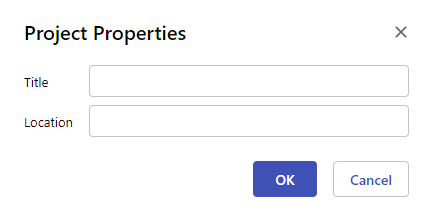
To access them, choose File > Properties. The dialog shown below will appear.
Title
The Title field corresponds to the title of the work.
Location
The Location field corresponds to the venue or room in which the surtitling project will be presented.
Undo and redo
You can undo recent changes you have made to a project.
To undo the last change, choose Edit > Undo.
To redo an undone change, choose Edit > Redo.
These actions can be repeated multiple times to correct a series of successive changes.